
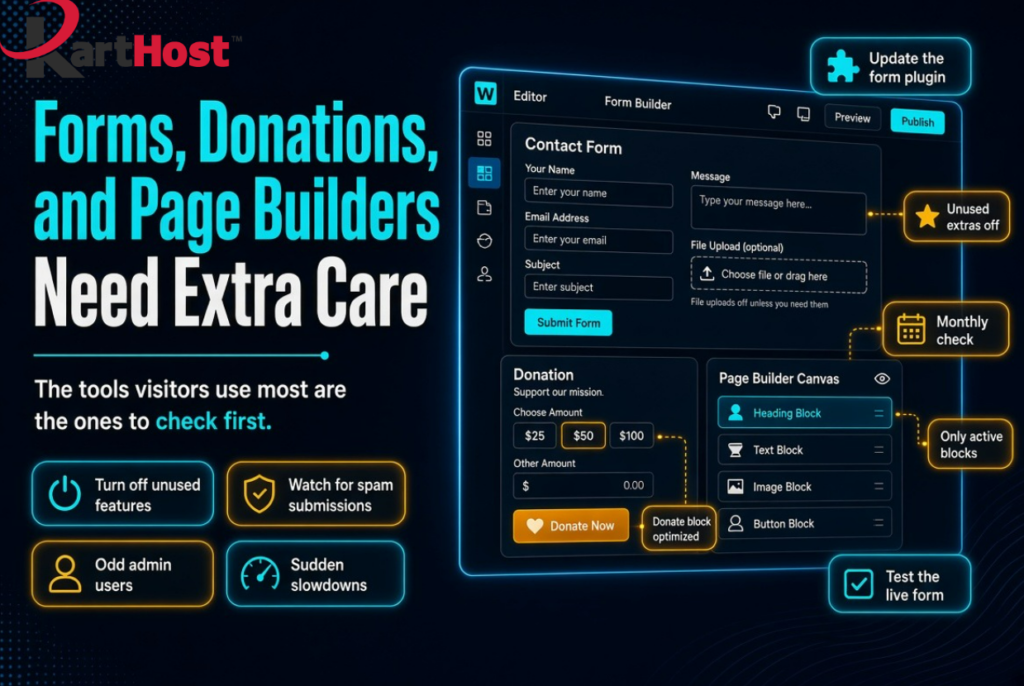
Have you noticed that the parts of your site visitors actually use, the contact form, the donate button, or the page you built with a visual editor, are also the parts that need the most regular care? That is not an accident. Forms and page builders sit on the public side of your website. They accept files, names, messages, and sometimes payments. Attackers look there first because a weak setting or an old version can give them a way in without ever guessing your password.
You do not need to become a security specialist. You only need to understand why these tools matter, keep them current, turn off extras you never use, and watch for a few simple warning signs.
Why these tools sit in a different category
A blog post is mostly text you publish. A contact form, donation tool, or page-builder widget is a door. It has to receive information from strangers and then store or email that information. In 2026 that door often includes file uploads, multi-step checkouts, popups, and design blocks that load extra scripts. Popular examples include Contact Form 7, WPForms, GiveWP, Super Forms, Elementor (especially forms with file upload), and theme builders such as Avada or Fusion Builder.
When those plugins or themes fall behind on updates, the problem is not only a broken layout. It can be unwanted files landing on the server, fake admin accounts appearing, or a flood of junk submissions that slow the site. Late summer 2026 made this plain: several widely used form and builder plugins received urgent patches, and a few related add-ons were temporarily closed while they were reviewed.
The same tools that help a small business look professional are the tools that need a short, repeatable check.
Keep them updated, one piece at a time
Use the same habit from our plugin guide How to Tell If a WordPress Plugin You Rely On Just Became a Security Problem.
- Log into WordPress and open Plugins, Installed Plugins. Find every form plugin, donation plugin, and page-builder plugin. Write down the name and version.
- Open Appearance, Themes if your builder lives there.
- Go to Dashboard, Updates. Read the short changelog when a notice appears. Words such as “security,” “patched,” or a jump in version number are your cue.
- Make sure a recent backup exists, then update one of these plugins or the theme. Visit the live contact page, donation page, and a couple of builder-designed pages.
- If those pages still work, update the next one.
Updating the form plugin without updating a connected page builder, or the other way around, is a common source of surprise. Treat them as a set.
Broader maintenance steps, including backups, are in 5 Essential WordPress Maintenance Tasks You Should Never Skip in 2026.
Turn off features you do not use
Most form and builder plugins ship with extra options turned on so they can serve many kinds of sites. You only need the ones your business actually uses.
Look through the plugin settings for items like these and disable them if they are idle:
- File uploads on a simple contact form that only needs a name, email, and message
- Guest or public file upload on donation or request forms
- Unused widgets, sliders, or marketing popups inside the page builder
- “Allow users to register” or extra user roles created only by the form plugin
- Test or sandbox payment modes left active on a live donation tool
- Remote banner or promo feeds inside builder add-ons
Fewer open features means fewer places something unexpected can happen. It also keeps the site a little lighter. If you are unsure whether a setting is required, leave a note and check the form after you change one item at a time.
Cleaning unused plugins in general is covered in The Easy Way to Keep Plugins From Becoming a Security Risk.
Simple signs a form is being abused
You do not need a scanner to notice trouble early. Watch for:
- A sudden jump in form submissions that are empty, repeated, or written in a language you never serve
- New WordPress users you did not create, especially any with Administrator next to the name
- The site feeling slower than usual on pages that contain forms, even when traffic looks normal
- Thank-you emails or donation receipts going to the wrong address, or none at all
- Files appearing in the Media Library that no one on your team uploaded
- The contact or donate page looking different from the version you last edited
If you still send form notices from a noreply@ address, replies and spam filters both suffer. See Stop Using noreply@ Email for a cleaner From and Reply-To setup.
None of these signs prove an attack by themselves. Together they tell you to pause, check the plugin versions, and look at Users and the Media Library before you add more content.
A short monthly check
Set a reminder once a month. It takes less time than writing a newsletter.
- Open Installed Plugins and confirm form, donation, and builder plugins are current.
- Submit one test message on the live contact form and one test on the donation or request form. Confirm the notice arrives and looks right.
- Glance at Users. You should recognize every Administrator.
- Scan the Media Library for files you do not remember adding.
- Turn off any builder widget or form field you stopped using.
- Confirm a backup completed in the last few days.
That is enough for most small sites.
How KartHost hosting and care plans fit
On KartHost Managed WordPress hosting, core, plugins, and eligible themes stay on a regular update cycle, with backups already running on the Convesio platform. The VIP WordPress Care Plan adds a recurring review so form and builder plugins are not left sitting on an old version after a busy month. You still decide how the forms should work. The routine of noticing a notice and applying it does not have to wait until something looks wrong.
Forms, donation tools, and page builders earn their place because customers actually use them. Giving those tools a little extra attention each month keeps that door useful for the people you want to hear from, and quiet for everyone else.