
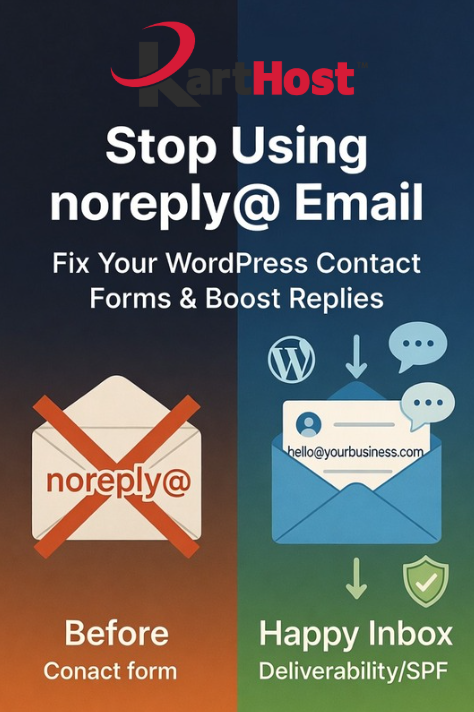
Hey, quick question: When someone fills out the contact form on your website, do their messages sometimes disappear into the void — or worse, do you notice that replies to your own form notifications never come back because the “From” address says something like noreply@yourdomain.com?
If that sounds familiar, you’re dealing with a surprisingly common issue that quietly hurts your business every single day.
Using a noreply@ address might seem convenient at first (it prevents your inbox from filling up with auto-replies or spam). But in reality, it sends the wrong message to your customers. It tells them, “We don’t really want to hear back from you.” That creates a barrier to communication and makes your brand feel distant and impersonal.
Even more importantly, email providers like Gmail and Outlook often treat messages from noreply@ addresses as suspicious. This can push your important form notifications straight into the spam folder, meaning you miss legitimate leads from potential customers who took the time to reach out.
The good news? Fixing this is straightforward and makes a real difference in how responsive and professional your website feels.
Here are some practical tips to improve your WordPress contact forms:
- Ditch the noreply@ address — Always send form notifications from a real, branded email address tied to your domain (like hello@yourbusiness.com or info@yourbusiness.com). This builds trust and encourages replies.
- Set up proper SMTP — WordPress’s default email system is unreliable. Install a free plugin like WP Mail SMTP and connect it to a trusted service (such as your professional email provider). This authenticates your emails and dramatically improves deliverability.
- Configure SPF, DKIM, and DMARC — These DNS records verify that emails are genuinely coming from your domain. They’re like a digital signature that tells inbox providers “this is legit,” reducing the chance of landing in spam.
- Use Reply-To wisely — Set the customer’s email as the Reply-To field so you can easily respond while keeping the From address as your professional one.
- Test everything — After changes, submit a test form and check that the notification arrives cleanly in your inbox (not spam). Also test replying to it.
These small adjustments help your contact forms actually work for you — turning casual visitors into real conversations and customers.
At Karthost, we know how frustrating it is when your website and email don’t work together smoothly. That’s why we offer managed WordPress hosting powered by self-healing Convesio containers that keep your site fast and secure, along with branded business email solutions including seamless Microsoft 365 integrations and KloudEmail with strong threat protection.
Our professional VIP WordPress Care Plan and caring Kartnatical Support team can help you set up reliable email delivery, configure contact forms properly, and handle the technical details so everything just works. You focus on building relationships with your customers — we make sure the technology supports you without the headaches.
If you’re tired of missed leads or worrying about email issues, we’d love to help. Reach out anytime to see how our hosting and email services can make your online presence more professional and responsive.
