
Have you ever sent an important order confirmation, abandoned cart reminder, or newsletter from your WordPress site… only to discover days later that most of them never reached your customers’ inboxes? They went straight to spam—or worse, disappeared entirely. No opens. No clicks. No sales. For small business owners and eCommerce entrepreneurs, this silent problem quietly kills leads and trust every single day.
In 2026, with stricter rules from Gmail, Yahoo, and Outlook, poor email deliverability is more costly than ever. The good news? You can fix most issues with a few straightforward steps—no coding degree required.
1. Stop Using the Default WordPress Email System
WordPress’s built-in email function is convenient but unreliable. It sends from your web server’s shared IP, often without proper authentication, making it look suspicious to spam filters.
Quick fix: Install a free plugin like WP Mail SMTP (or FluentSMTP). Connect it to a proper SMTP service so your emails are sent through authenticated channels instead of your server.
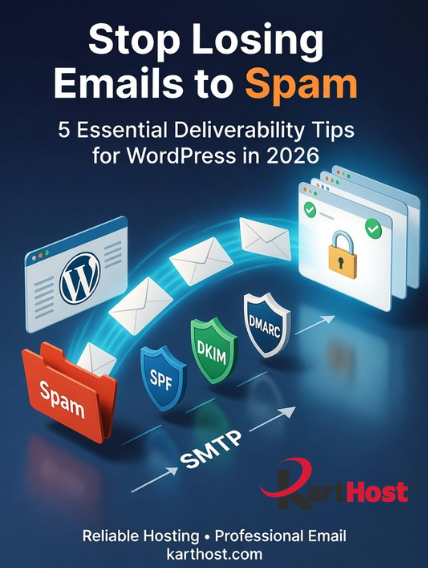
2. Set Up SPF, DKIM, and DMARC Records
These three DNS records are your email “ID badge”:
- SPF tells the world which servers are allowed to send email from your domain.
- DKIM adds a digital signature so recipients know the message wasn’t altered.
- DMARC ties the first two together and tells servers what to do if something fails.
Without them, even well-written emails get flagged. Start simple: add the records through your domain registrar (most hosts provide easy guides), then test with tools like Mail-Tester.com.
3. Use a Professional “From” Address and Consistent Sender Reputation
Always send from a real email on your own domain (hello@yourstore.com), not noreply@ or a generic Gmail address. Keep your list clean—remove bounces and inactive subscribers regularly. Warm up new domains gradually rather than blasting hundreds of emails at once.
4. Keep Content Clean and Valuable
Avoid spam trigger words in ALL CAPS, excessive exclamation points, or too many links. Provide genuine value, easy unsubscribe options, and mobile-friendly formatting. High engagement (opens, clicks, replies) tells providers your emails belong in the inbox.
5. Test and Monitor Regularly
Send test emails to different providers. Use free tools like:
- Mail-Tester.com
- Google Postmaster Tools
- MXToolbox for blacklists
Check your email logs in the SMTP plugin so you catch problems early.
Why Reliable Email Matters for Your Business
Every lost email is a missed opportunity—whether it’s a new customer welcome, a sale notification, or a relationship-building newsletter. When your emails reliably reach inboxes, your WordPress site becomes a much more powerful business tool.
At Karthost, we make this entire process easier. Our managed WordPress hosting (including scalable Convesio container-based plans) provides a strong, reliable foundation for your site. Pair that with our KloudEmail solutions—professional custom domain email with excellent deliverability, security, and features designed specifically for small businesses and entrepreneurs. Whether you need simple transactional emails for your store or full Microsoft 365 integration, we help remove the technical headaches so you can focus on growing your business.
Ready to stop wondering if your emails are actually arriving? Explore our KloudEmail plans or Managed WordPress Hosting today and experience the difference reliable infrastructure and support can make.
