
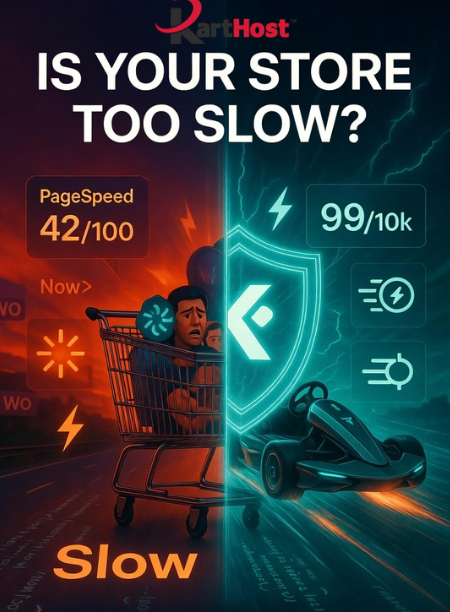
Picture this: a potential customer clicks on your product, excited to buy… but the page takes forever to load. They wait a few seconds, get frustrated, and bounce to a faster competitor. For online stores, every extra second of load time can cost you real money in abandoned carts and lost revenue.
If your WooCommerce site feels sluggish — especially during promotions or traffic spikes — you’re not alone. Many small business owners and eCommerce entrepreneurs build great stores but struggle with performance. The good news? You can make meaningful improvements without becoming a tech expert. Here’s a practical WooCommerce Speed Optimization Checklist for 2026 that focuses on high-impact, beginner-friendly steps.
Quick Wins You Can Do Today
- Optimize Images: Compress product photos, switch to WebP format, and enable lazy loading so images only load when visible. Large unoptimized images are one of the biggest speed killers on Woo stores.
- Enable Caching: Use a good caching solution (page caching, browser caching, and object caching) to serve faster versions of your pages. Many modern setups handle this efficiently at the server level.
- Audit & Trim Plugins: Deactivate and delete unused or heavy plugins. Every plugin adds overhead — review them regularly and keep only what truly adds value.
Next-Level Optimizations
- Choose a Lightweight Theme: Opt for fast, WooCommerce-optimized themes like Astra, Kadence, or Blocksy. Avoid bloated multipurpose themes that load unnecessary scripts.
- Migrate to High-Performance Order Storage (HPOS): If you haven’t already, enable this built-in WooCommerce feature. It dramatically improves database performance for orders and checkout, especially on growing stores.
- Add a CDN: Deliver images, CSS, and JS from servers closer to your visitors. This reduces load times worldwide and pairs beautifully with strong hosting.
- Clean Up Your Database: Regularly remove old revisions, transients, and spam comments. A lean database keeps everything running smoothly.
Test your progress with free tools like Google PageSpeed Insights or GTmetrix after each change. Aim for Core Web Vitals scores that keep Google (and your visitors) happy.
At Karthost, we make speed one less thing you have to worry about. Our managed WordPress hosting runs on scalable Convesio containers powered by Google Cloud — built specifically to handle traffic spikes and deliver excellent performance without manual tweaks. No caching plugin required in many cases, thanks to the platform’s built-in optimizations and Cloudflare integration.
Pair that with our VIP WordPress Care Plan, and we handle regular updates to core, plugins, and popular themes, plus malware scanning and monthly reports. You get the fast, reliable foundation your WooCommerce store needs so you can focus on products, marketing, and growing your business — not fighting slowdowns.
Ready to give your store the speed it deserves? Check out our Managed WordPress Hosting and VIP Care Plans at karthost.com today.
Sources & Further Reading:
- WooCommerce Official Performance Guide: https://developer.woocommerce.com/docs/best-practices/performance/performance-optimization/
- Recent optimization checklists from WP Rocket and Woo-focused experts (2026 updates).
