
Hello from the team at KartHost! We’ve been helping customers with web hosting, domain names, and email services for years, and one of the topics that comes up often is online security. In this post, we’ll explain two-factor authentication (often called 2FA) in simple terms. If you’re new to this or not very tech-savvy, this guide is for you. We’ll cover what it is, how it works, why it’s important, and some popular tools to get started. Our goal is to make it easy to understand so you can protect your accounts with confidence.
What Is Two-Factor Authentication?
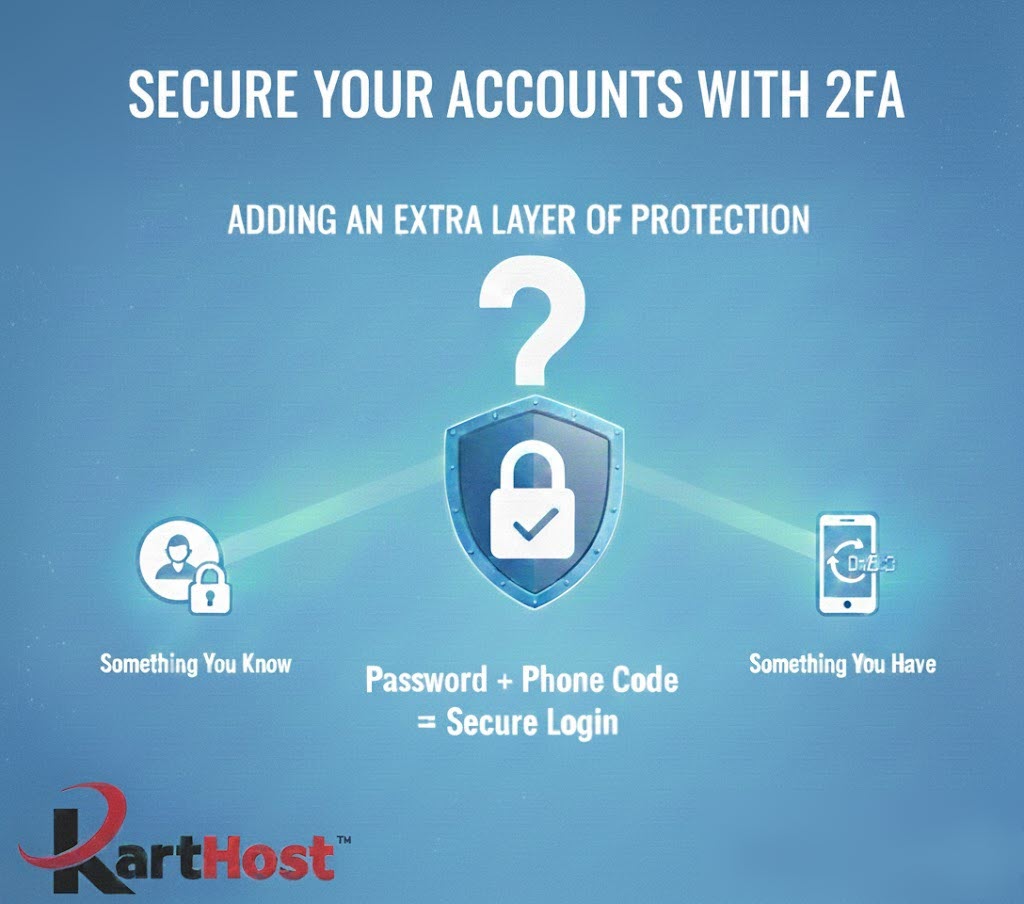
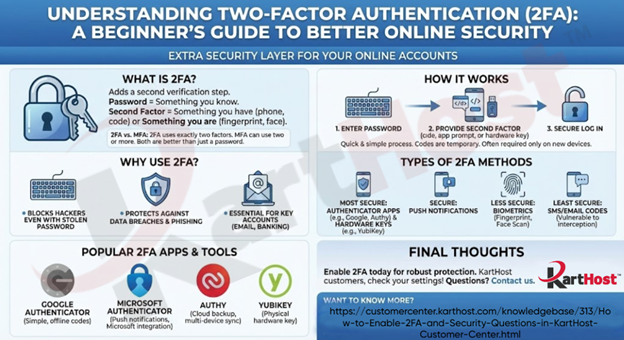
Two-factor authentication adds an extra layer of security to your online accounts. Normally, you log in with just a password, that’s one “factor” (something you know). 2FA requires a second factor, making it much harder for someone else to access your account even if they have your password.
Common second factors include:
- Something you have (like your phone for a code or notification)
- Something you are (like a fingerprint or facial recognition)
It’s similar to using a debit card (something you have) plus a PIN (something you know) at an ATM. Many services, including email providers and hosting accounts, offer 2FA for free. Most major online services now include built-in support for 2FA at no extra cost, and many are starting to require it for added protection. This means you can enable it directly in the settings of your email, banking, social media, or hosting accounts without needing a separate service.
A quick note on terminology: Two-Factor Authentication (2FA) and Multi-Factor Authentication (MFA) are closely related security methods, and the terms are often used interchangeably in everyday discussion. Strictly speaking, 2FA requires exactly two forms of verification (typically your password plus one additional factor, like a code from your phone). MFA is a broader term that requires two or more factors, meaning it can include three or more layers if needed for higher security. In practice, what most people call 2FA is a common form of MFA, and both provide far better protection than a password alone.
How Does 2FA Work?
The process is straightforward and only takes a few extra seconds:
- Enter your username and password as usual.
- The service prompts you for the second factor, such as a one-time code sent to your phone or generated by an app.
- Provide the second verification, and you’re logged in.
These codes are temporary and unique, expiring quickly to prevent reuse. Some systems only ask for the extra step on new devices or if something seems unusual.
Why Use 2FA?
Passwords alone aren’t enough anymore. Data breaches happen frequently, and many people reuse passwords across sites. Hackers can steal or guess them through phishing or other methods.
2FA helps because even if a hacker gets your password, they can’t log in without the second factor. It blocks the vast majority of unauthorized access attempts. Starting with key accounts like your primary email is a great first step, as it often controls recovery for other services.
Note that no security is foolproof, if you lose access to your second factor (like your phone), have backup options ready, such as recovery codes.
Types of 2FA Methods
Here are the main options, from most to least secure:
- Authenticator apps: Generate codes on your device, even offline.
- Push notifications: Approve logins with a simple tap on your phone.
- Hardware keys: Physical devices you connect or tap, highly resistant to remote attacks.
- Biometrics: Fingerprint or face scan, often combined with a PIN.
- SMS or email codes: Convenient but less secure, as they can sometimes be intercepted.
Experts recommend app-based or hardware methods over SMS when possible.
Popular 2FA Apps and Tools
Many free, reliable options make enabling 2FA simple. Here are some widely used ones:
- Google Authenticator: A straightforward app that generates time-based codes. It works offline and supports backup to your Google account. Learn more at google.com/authenticator.
- Microsoft Authenticator: Offers code generation, push notifications, and integration with Microsoft services. Required if you use Microsoft 365 or similar. Visit microsoft.com/authenticator.
- Authy: Provides codes like other apps but with easy cloud backup and multi-device sync. Great for users who change phones often. Check it out at authy.com.
- YubiKey (Hardware): A physical security key for top-level protection against phishing. Available in various forms. More details at yubico.com.
Some password managers, like Dashlane, also include built-in 2FA features. Explore at dashlane.com.
Final Thoughts
Enabling two-factor authentication (2FA) is one of the easiest and most effective ways to secure your online accounts. If you’re a KartHost customer, check your account settings to turn it on today. It adds valuable protection for your website, email, and more.
Have questions? Feel free to reach out, we’re here to help.
Get set up now!
Now that you know more about two-factor authentication now is the time to jump in and get set up! Here you can find the instructions and more information in our knowledgebase at: https://customercenter.karthost.com/knowledgebase/313/How-to-Enable-2FA-and-Security-Questions-in-KartHost-Customer-Center.html
Want to know more?
Here are some sources where you can find all this information and so much more!
https://www.eset.com/blog/en/what-is/what-is-2fa-how-it-works
https://www.shadecoder.com/topics/two-factor-authentication-2fa-a-comprehensive-guide-for-2025
https://www.dashlane.com/blog/a-beginners-guide-to-two-factor-authentication-2fahttps://www.microsoft.com/en-us/security/business/security-101/what-is-two-factor-authentication-2fa
https://www.microsoft.com/en-us/security/business/security-101/what-is-two-factor-authentication-2fa
