
Why your email suddenly stops working or lands in spam right after a simple domain change, rebrand, or provider switch.
At KartHost we help small businesses in the Tomball and Houston area every week with domain transfers, website moves, rebrands, and email migrations. One of the most common support tickets we see starts with “My email was working fine until we changed registrars” or “We updated our website hosting and now no one can reach us.” The root cause is almost always a mismatch between your domain name, DNS records, and email setup. These pieces are tightly connected. Change one without updating the others and things break quickly.
Here is a clear, high-level picture of how it all fits together in 2026 and exactly what to watch during any change.
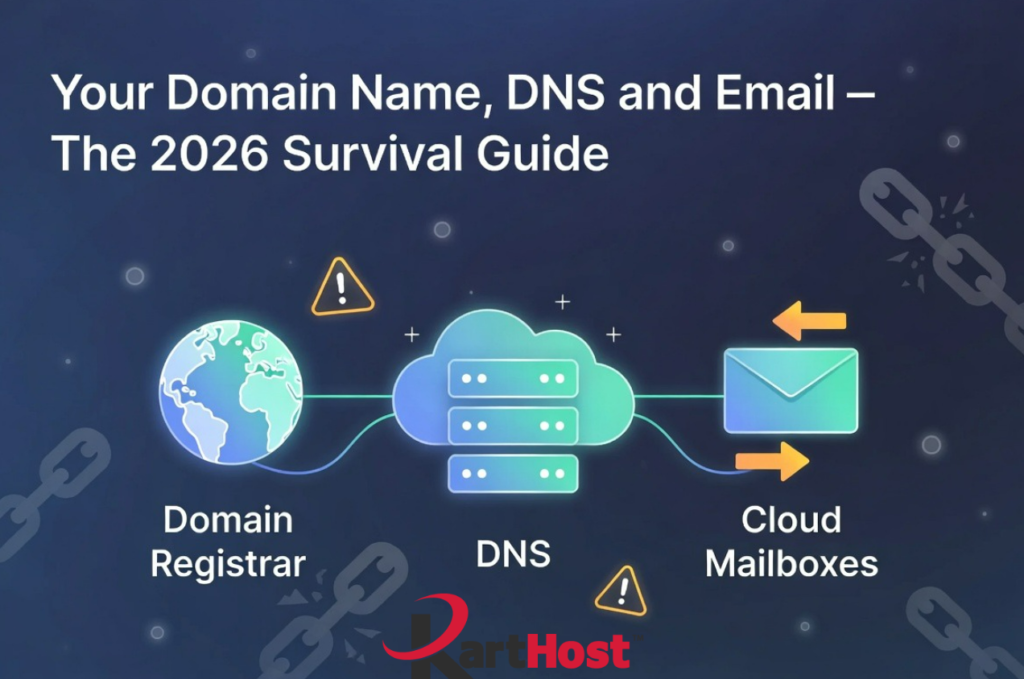
The Four Key Pieces and How They Connect
- Domain Registrar
This is where you own and renew your domain name (example.com). You can register or transfer here, but the registrar does not always host your website files or email. Common ones include Enom (what we use at KartHost), GoDaddy, Namecheap, and others. - DNS Host (Nameservers)
DNS tells the internet where to find your domain’s services. Your nameservers point to the company managing your DNS records (this could be your registrar, a separate service like Cloudflare, or your hosting provider). All important records live here. - MX Records (Mail Exchange)
These DNS records specifically direct incoming email to your mailbox provider. They tell the world “send mail for @yourdomain.com here.” - Cloud Mailboxes (Your Email Service)
This is where your actual email lives (KloudEmail, Microsoft 365, Hosted Exchange, Google Workspace, etc.). The mailboxes themselves sit on the provider’s secure servers.
What Breaks When You Change One Piece Without Updating the Others
- You change your domain registrar or nameservers but forget to copy MX records.
Incoming email has nowhere to go. Messages bounce with “domain not found” or “no mail server” errors. This is extremely common during transfers because old DNS records do not automatically move. - You update your website hosting (A records) but leave old MX records pointing to the previous host.
Your site loads fine, but email either stops or routes to an abandoned server. Customers miss invoices, quotes, and important updates. - You switch to new branded email addresses during a rebrand without proper DNS setup on the new domain.
Outgoing mail gets flagged as spam because SPF, DKIM, and DMARC records are missing or point to the old setup. Deliverability drops hard while the new domain builds reputation. - You move email providers without updating MX, SPF, and DKIM.
New mailboxes work for sending tests, but real customer mail still goes to the old provider or gets rejected. Propagation delays can create days of inconsistent delivery.
These issues compound during rebrands, acquisitions, or provider switches when multiple changes happen at once.
Practical Survival Checklist for Any Domain or Email Change
- Document your current setup first.
Log into your current DNS host and note all records, especially MX, SPF (TXT), DKIM (TXT), DMARC (TXT), and A/AAAA records for your website. Tools like MX Toolbox make this quick. - Decide what stays and what moves.
Keep DNS at a stable provider (we often recommend Cloudflare or staying with KartHost-managed DNS) when possible. This avoids losing records during registrar transfers. - Pre-stage new records.
Add the new MX records, SPF, DKIM, and any other needed entries to the target DNS zone before you flip nameservers or cut over. Lower the TTL on existing records 24-48 hours ahead of time for faster propagation. - Test thoroughly.
Send test emails from outside accounts. Check incoming delivery. Use mail-tester.com or GlockApps. Verify SPF/DKIM/DMARC with free online checkers. - Plan the cutover window.
Do major changes during low-traffic times. Keep old email forwarding active for a transition period if you are moving to a new domain or provider. Monitor for a few days after. - Update everything that references your domain.
This includes website forms, payment processors, marketing tools, client directories, and signatures.
What KartHost Recommends and How We Help
We strongly advise keeping your domain, DNS, and email under coordinated management whenever possible. It reduces these exact disconnects and gives you one team that understands the full picture.
Our local Texas team can:
- Audit your current domain, DNS, and email configuration
- Handle registrar transfers while preserving all email records
- Set up or migrate to KloudEmail, Microsoft 365, or Hosted Exchange with correct MX, SPF, DKIM, and DMARC from day one
- Guide rebrands with subdomain strategies (billing.yourdomain.com, etc.) to protect main domain reputation
- Monitor deliverability and fix issues quickly through support tickets
Interested in starting with us? Go to https://karthost.com/ to explore our domain, email, and hosting products and get started!
If you are planning a domain change, rebrand, provider switch, or just want peace of mind, feel free to check into our other blogs for help and information. If you still need help feel free to contact us! We will review your setup, map out the safe path, and make the changes (or walk you through them) so your business communication stays reliable.
Your domain name is the foundation of your online presence. Protect the connections between domain, DNS, and email, and you avoid the most frustrating disruptions small businesses face in 2026.
We are here to keep everything running smoothly for you.