
Hey there, fellow store owner,
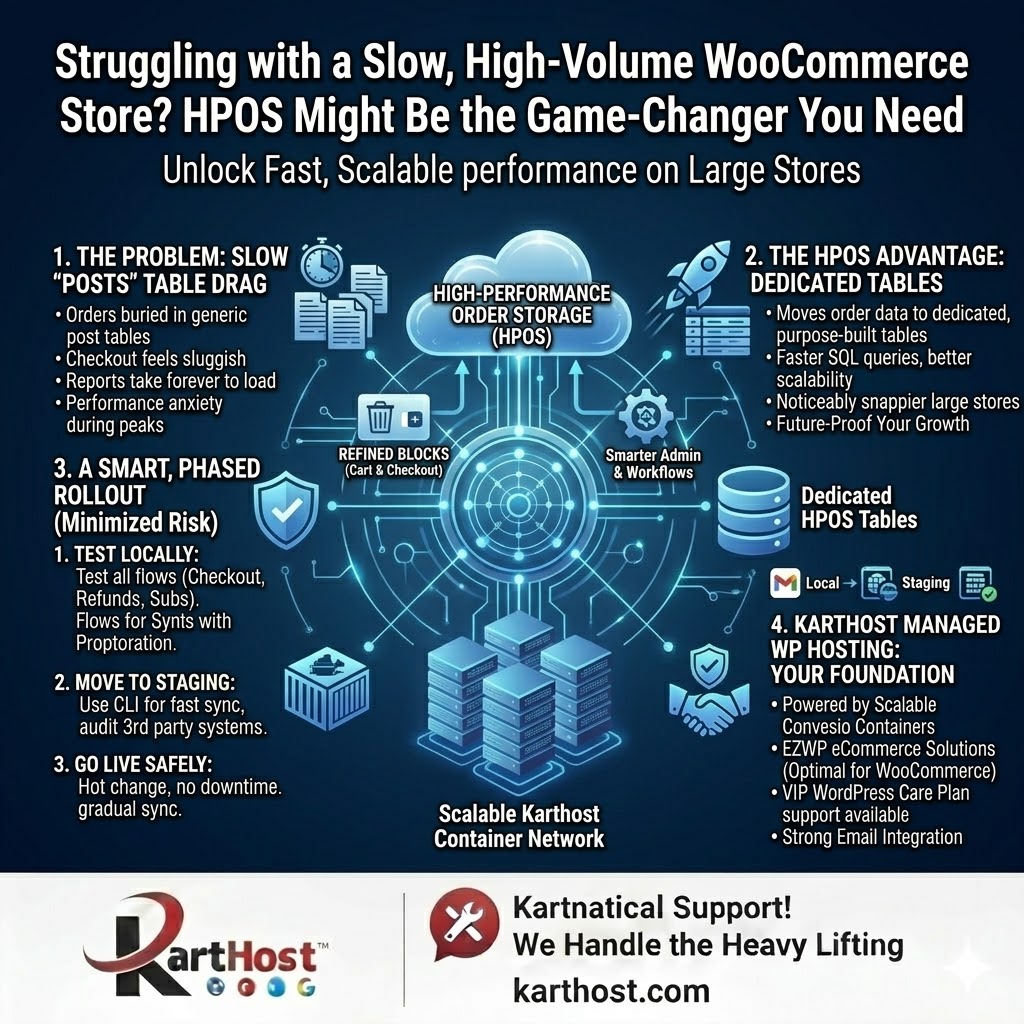
Does this sound familiar? Your WooCommerce store is growing nicely—orders are coming in, traffic is picking up—but checkout feels sluggish, reports take forever to load, and you’re constantly worried about performance during busy periods. You’ve tried optimizing plugins and caching, but deep down you know the old WordPress posts table just wasn’t built for thousands (or millions) of orders.
If you’re running a high-volume store and feeling that drag, you’re not alone. The good news? WooCommerce has a powerful solution: High Performance Order Storage (HPOS). And the even better news? Implementing it doesn’t have to be a nightmare when you have the right hosting and support behind you.
What Is HPOS and Why Should You Care?
HPOS moves your order data out of the traditional WordPress posts table and into dedicated, purpose-built tables designed specifically for eCommerce. The result? Faster queries, better scalability, and noticeably snappier performance on large stores—especially when it comes to order management, reporting, and checkout flows.
According to the official WooCommerce developer documentation, stores with massive order volumes see real improvements once they make the switch. But the team at WooCommerce is clear: this isn’t something you flip on overnight, especially on a live, high-traffic site.
A Smart, Step-by-Step Approach to Enabling HPOS
The WooCommerce team recommends a careful, phased rollout to minimize risk:
Phase 1: Test locally first
Set up a local development environment that closely mirrors your live site. Update all plugins and themes, then enable HPOS (with and without synchronization) and rigorously test:
- Checkout with every payment method
- Refunds
- Subscription purchases and renewals (if you use WooCommerce Subscriptions)
- Your most critical customer flows
Phase 2: Move to staging
Copy your production database to a staging site. Use the WP-CLI command wp wc hpos sync to speed up the migration of existing orders, time how long it takes (a 9-million-order store took about a week in their tests), and run the same thorough tests again. Don’t forget to audit any third-party systems (accounting, shipping, data warehouses) that might be reading directly from the old posts tables.
Phase 3: Go live safely on production
- Enable synchronization while keeping the posts table as the authoritative source.
- Run the migration via CLI.
- Once complete, switch HPOS to be the new authoritative storage (this is a “hot” change—no downtime required).
- Test everything again while monitoring incoming orders.
- Gradually disable synchronization (starting with sync on read) to unlock the full performance benefits.
They also share helpful tips like using the verification command wp wc hpos verify_cot_data –verbose and keeping synchronization on initially for an easy rollback if needed.
You can read the full, detailed guide here:
A large store’s guide to enable HPOS on WooCommerce
Why This Matters for Your Business
Switching to HPOS isn’t just a technical upgrade—it directly impacts your bottom line. Faster order processing means happier customers, smoother operations, and the ability to scale without constant performance anxiety.
But let’s be honest: following these steps on your own can still feel overwhelming, especially when you’re trying to run a business, not play system administrator.
This is exactly where Karthost comes in.
At Karthost, we specialize in managed WordPress hosting powered by scalable, self-healing Convesio container technology. Our plans are built for exactly the kind of high-performance eCommerce needs that HPOS addresses. We handle the heavy lifting—core and plugin updates, security monitoring, and performance optimization—so you can focus on growing your store.
Whether you’re running a standard WooCommerce shop or using our EZWP eCommerce solutions, our hosting environment is designed to support advanced optimizations like HPOS without the usual headaches. Plus, with our VIP WordPress Care Plan, our team of WordPress professionals are available to help with implementation, testing, migrations, or any tweaks you need—often at a cost less than hiring a part-time employee.
If you’re tired of fighting slow order tables and want a hosting partner that actually understands high-volume WooCommerce performance, we’d love to help you make the move to HPOS (and beyond) as smoothly as possible.
Ready to give your store the speed and reliability it deserves?
Check out our managed WordPress hosting and EZWP eCommerce packages at karthost.com today.
We’re here to make your online business easier—so you can get back to what you do best: selling.
