
Hey there, fellow WordPress agency owner or developer—be honest: Do you ever feel like your browser is working against you? Tabs piling up, switching between a dozen tools just to inspect a site, grab a font, or snap a quick screenshot, and then wondering why your machine feels sluggish during a busy client day? That daily friction adds up fast. You’re building sites, auditing client projects, sharing feedback, and trying to stay efficient—all while juggling multiple browsers or extensions that either bloat your setup or leave gaps in your process. The good news? A curated set of the right extensions can quietly multiply your productivity without the chaos.
I recently came across a fantastic discussion roundup from The Admin Bar community (a go-to spot for agency folks like us), where real agency owners shared their must-have browser extensions. The big takeaway? Less is more. Instead of loading up on dozens of single-purpose tools, the smartest setups focus on all-in-one powerhouses that handle multiple tasks seamlessly, save time daily, and don’t drag down performance.
Here are some of the top recommendations that kept popping up:
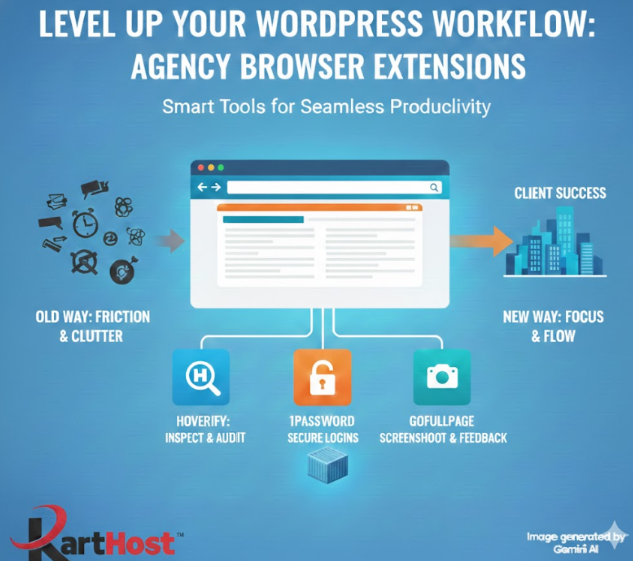
- Hoverify stands out as the clear favorite—many use it multiple times a day for inspecting everything from SEO elements and images to breakpoints, headings, and tech stacks. It replaces a handful of separate extensions, making it a true workflow win. (As one contributor put it: “Hoverify is something I use every single day, multiple times a day.”)
- 1Password (or its open-source cousin Bitwarden) for secure, instant logins across client sites, staging environments, and team accounts—essential for anyone managing multiple logins without constant password resets or security risks.
- Screenshot heroes like GoFullPage and FireShot—one-click full-page captures, annotations, and exports that make sharing design feedback or QA notes effortless.
- WhatFont for instant font identification (pair it with a color picker and you’re golden for design tweaks).
- Wappalyzer for quick tech stack overviews—perfect when auditing a prospect’s site or checking compatibility.
- OneTab to tame tab overload and free up memory when you’re deep in research mode.
The pattern here is clear: Choose extensions that replace friction, get used daily without thinking about them, and avoid memory hogs. Agencies are leaning toward versatile tools like Hoverify over niche ones because they keep things lean and fast—exactly what you need when you’re scaling client work.
Source: This draws heavily from “The Best Browser Extensions for Web Designers & Developers” by Kyle Van Deusen on The Admin Bar (January 15, 2026). Check out the full community roundup here: https://theadminbar.com/blog/the-best-browser-extensions-for-web-designers-developers/
At the end of the day, these tools are game-changers only if your foundation is solid. Imagine pairing that streamlined browser setup with hosting that handles the heavy lifting behind the scenes—no crashes during traffic spikes, automatic scaling for growing sites, self-healing containers that keep everything running smoothly, and managed updates so you’re not firefighting core WordPress or plugin issues.
That’s exactly what Karthost delivers. Our container-based WordPress hosting (powered by Convesio) is built for agencies and eCommerce pros who want to focus on creative work, client relationships, and growth—not server babysitting. With VIP care plans, 24/7 support, and infrastructure ready for modern demands (including AI-enhanced features on the horizon), you get the reliability that lets those productivity extensions shine even brighter.
Ready to cut the friction from your workflow and scale with confidence? Explore our managed WordPress hosting options today: https://karthost.com/managed-wordpress-hosting/. Your future self (and your clients) will thank you!
